Registration Process
Once a competition has been created and is in the open status, players can be registered into the competition for scoring.
- Navigate to your timesheet
- Highlight the player's you wish to register by clicking on their cell. Multiple cells can be selected, or you can click the row to highlight entire rows
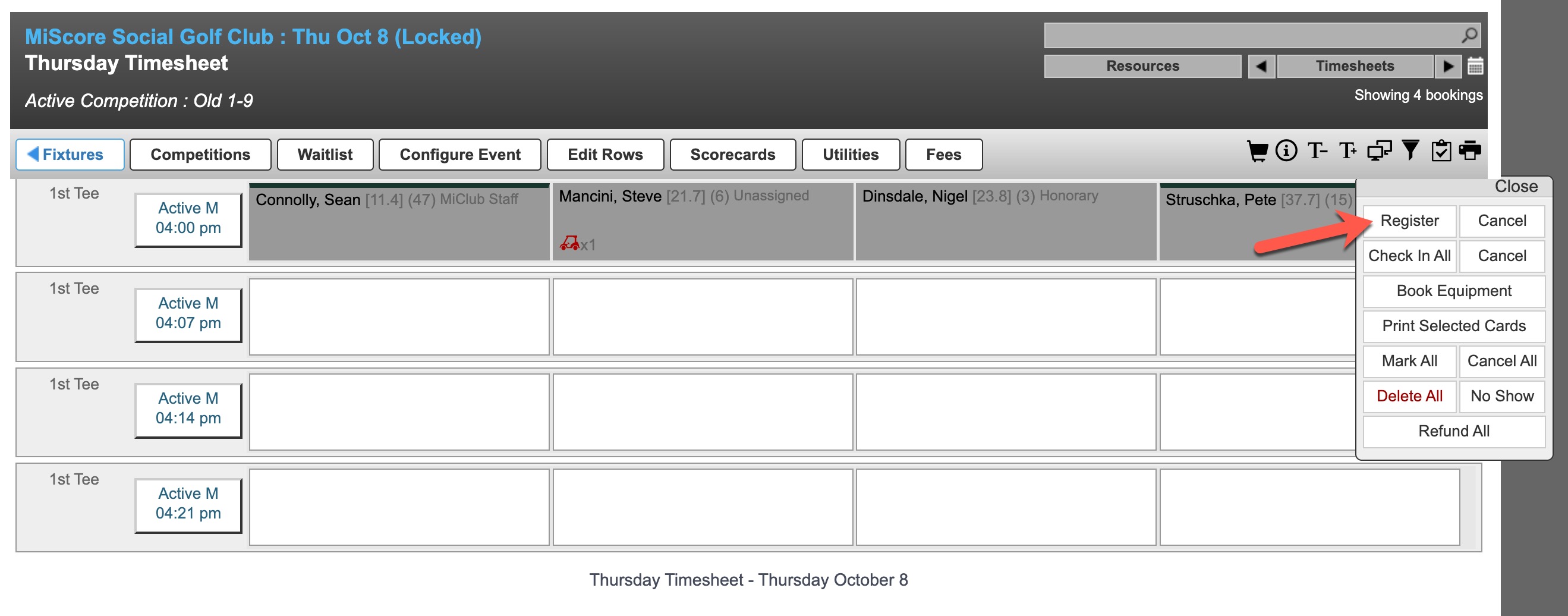
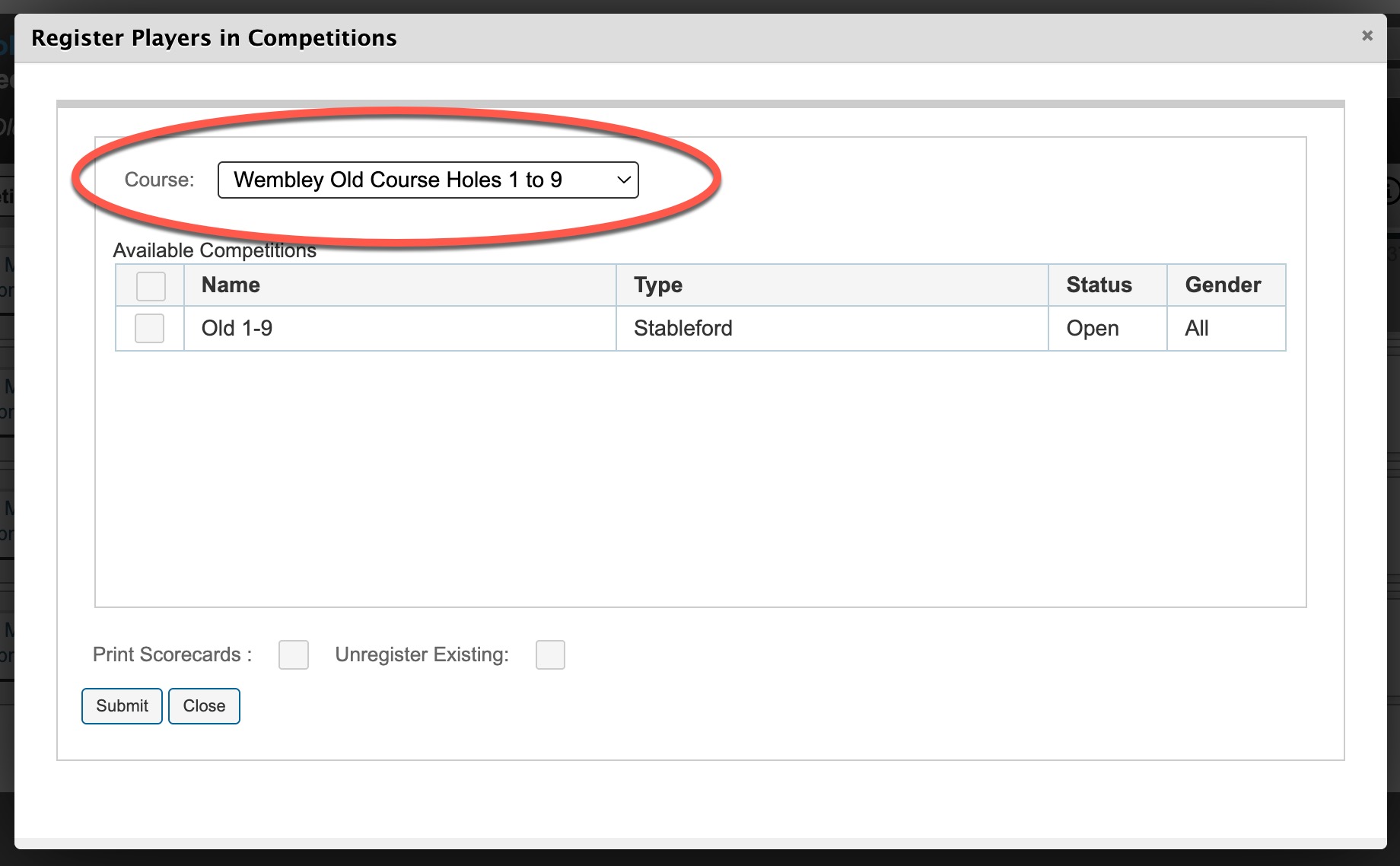
If there are multiple competitions on the timesheet the following screen will appear, allowing you to select the specific competition(s) and course you wish to register players into.
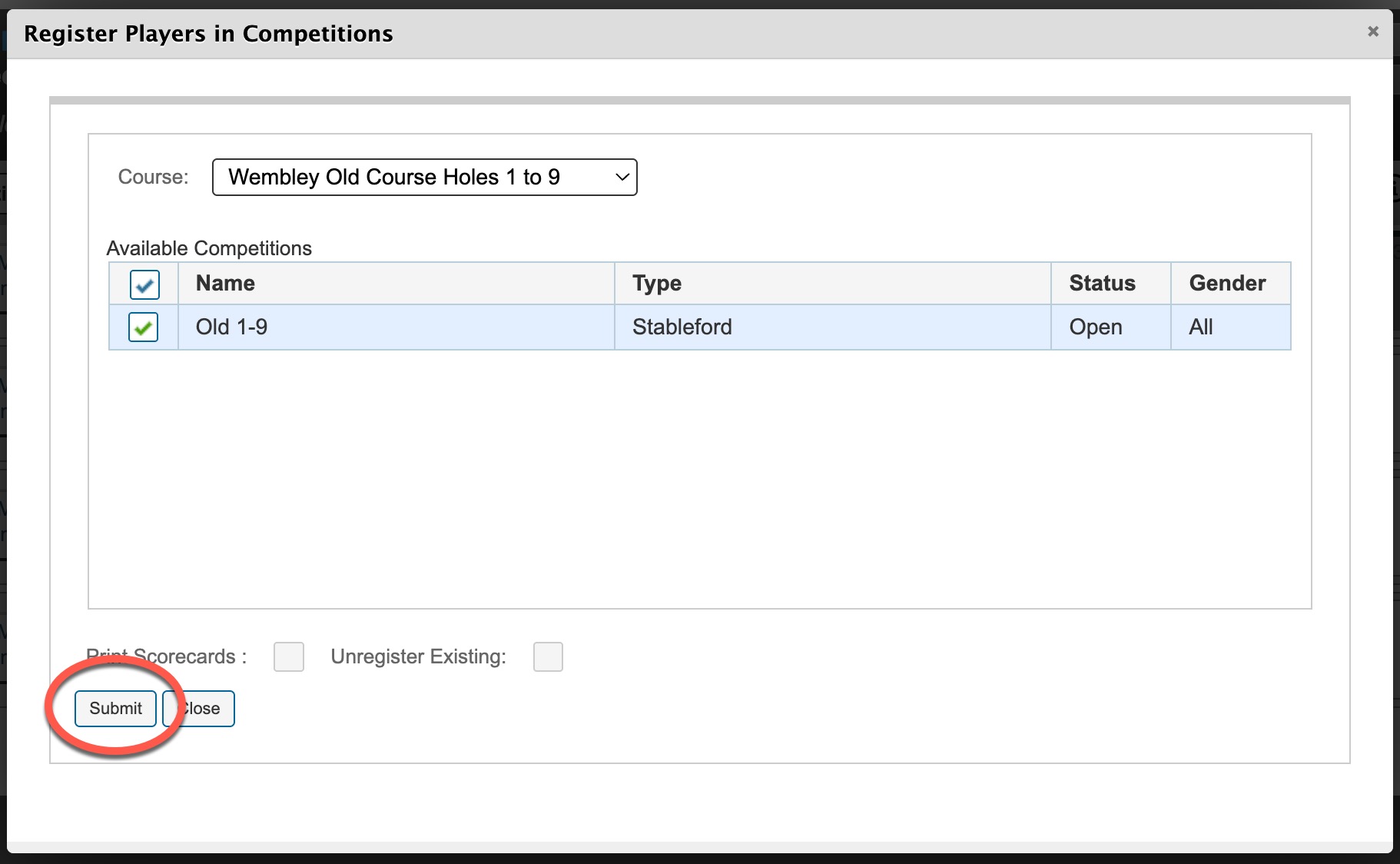
Use the checkbox to select this competition for the player(s) to be registered into and click submit
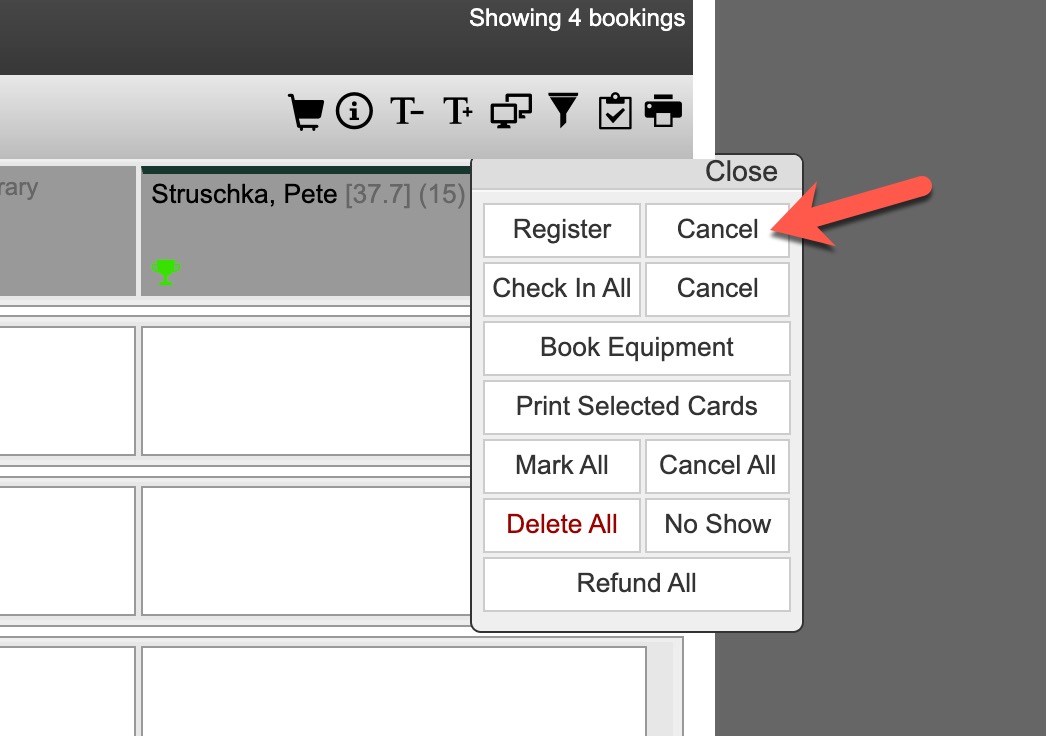
Once registered the players will have a green trophy on the cell and are ready for scoring in the competition

Trophy Statuses:
| Colour | Status |
| Green | Registered for scoring |
| Pink | Currently scoring via MiScore App |
| Blue | Completed and submitted scorecard |
Unregistering Players:
To unregister a player highlight the player(s) and then use Cancel next to Register. This will unregister the player and remove the trophy.
Was this article helpful?
That’s Great!
Thank you for your feedback
Sorry! We couldn't be helpful
Thank you for your feedback
Feedback sent
We appreciate your effort and will try to fix the article